
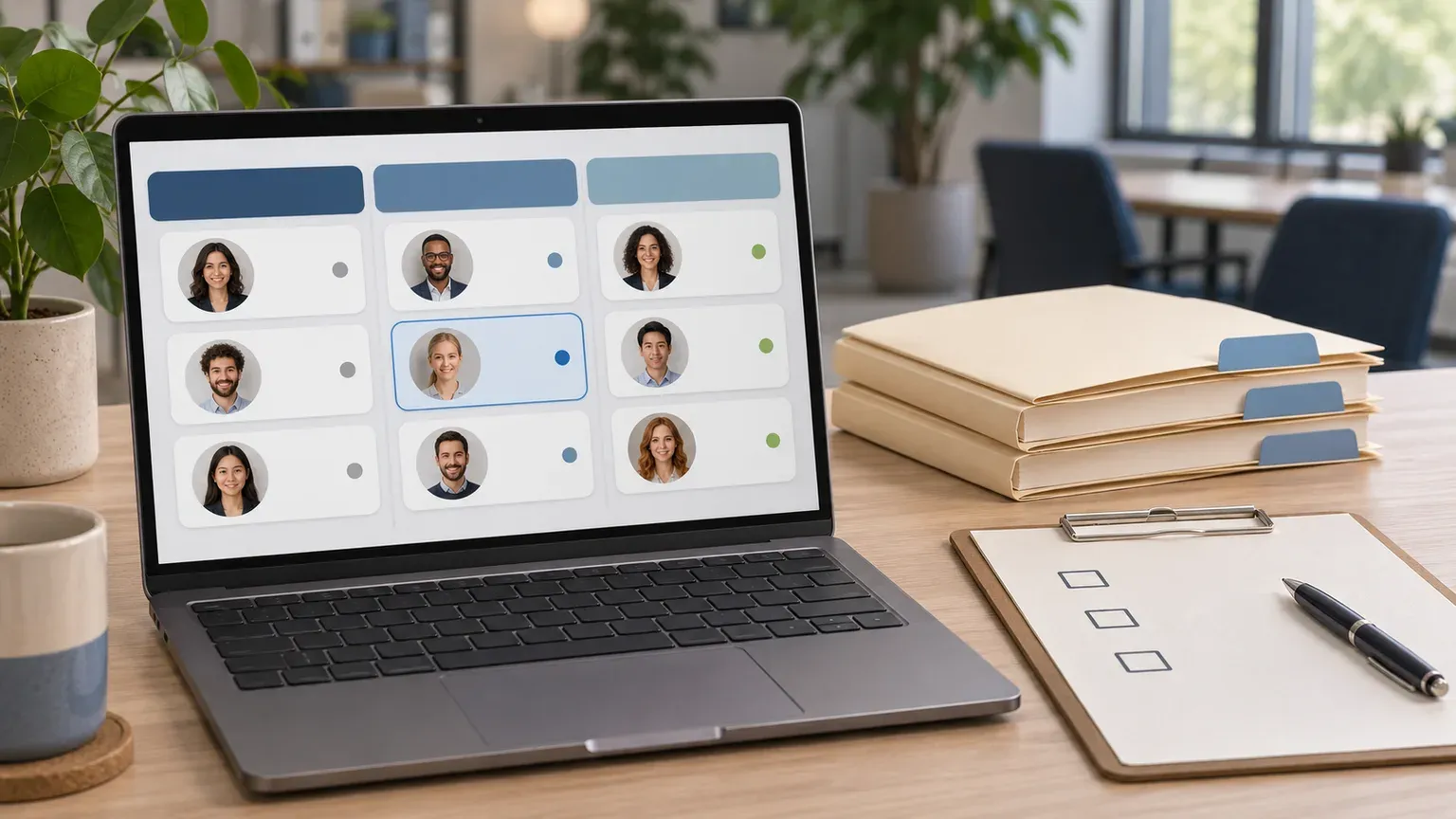
Somewhere between your third open role and your fifth unanswered follow-up, a hiring spreadsheet stops working. Columns get reformatted, status rows go stale, and no one can tell whether a candidate is still active or just forgotten. That’s where ATS usage starts to make real sense for early-stage teams, and where a startup guide to using an ATS begins: not with enterprise software requiring a dedicated HR function, but with a practical way to keep candidates moving and nothing falling through the gaps.
TLDR:
-
An ATS centralizes job posting, application collection, resume parsing, and candidate tracking in one place instead of scattered inboxes and spreadsheets.
-
Large enterprises use ATS software at close to 99% adoption rates, while many startups still rely on spreadsheets due to perceived cost and setup complexity.
-
Resume formatting affects how an ATS reads your application: clean, text-readable documents parse accurately while graphics-heavy layouts can drop data.
-
AI screening in most ATS tools works as a filter, not a decision-maker, and performs best when your job descriptions are precise and well-defined.
-
Some tools pair free ATS software with on-demand recruiting support billed for hours worked, keeping costs tied to actual hiring activity.
How Many Companies Actually Use an ATS?
Adoption rates for applicant tracking systems vary considerably depending on company size. Among the largest employers, Fortune 500 ATS adoption data points to roughly 99% using some form of ATS. For mid-sized companies, that figure sits closer to 70%, and for smaller businesses it drops further, though adoption has been climbing steadily across all segments.
The practical implication for job seekers is real: a resume submitted to a large employer almost certainly passes through automated screening before a human reads it. Many early-stage teams still rely on spreadsheets or email threads to track candidates, often because they assume ATS software requires a dedicated HR team to run or carries enterprise-level costs.
What the Adoption Gap Actually Means
The gap between large-company and small-company ATS usage comes down to two factors: perceived complexity and perceived cost. Many founders assume setup takes weeks and ongoing management requires specialized knowledge, a common concern tied to enterprise ATS platforms for startups. In practice, several tools now offer free tiers with setup measured in minutes, not days, making the barrier far lower than it was even a few years ago.
How an ATS Processes Applications
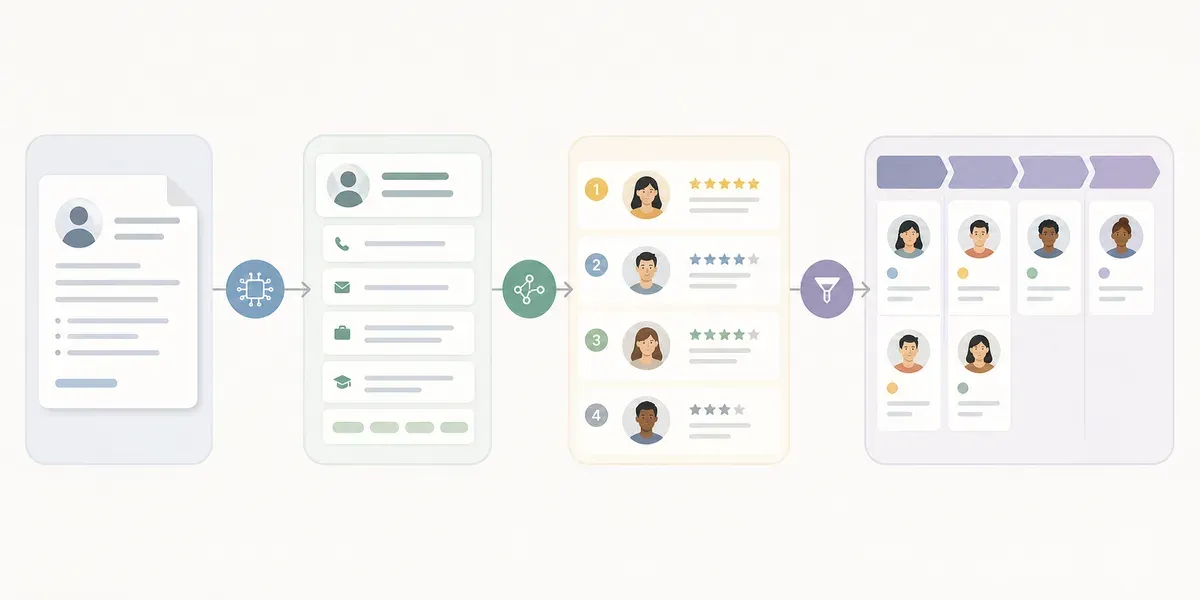
When a candidate hits submit, the ATS immediately stores their application and attempts to parse the resume, converting the document into structured data fields: name, contact info, work history, education, and skills. Formatting matters here. A clean, text-readable resume parses accurately. One built around graphics, columns, or non-standard fonts may come out garbled, which is why candidates who format for ATS readability tend to fare better in the process.
After parsing, the system matches extracted content against the job criteria you configured. Basic tools check for keyword presence. More sophisticated ones assign weighted scores, so a candidate who lists the right skills, managed a team, and has relevant experience floats to the top instead of landing on page four of an unsorted inbox.
The third piece is pipeline tracking. Each candidate sits in a named stage: applied, screening, interview, offer. Every team member’s notes and decisions attach to that record, and the full hiring history stays visible to anyone involved in the search.
The Business Case for ATS Usage at Startups

Hiring at an early-stage startup rarely looks like hiring at a company with a dedicated recruiting team. Founders and hiring managers are juggling sourcing, scheduling, feedback loops, and offer letters alongside their actual jobs. Without some kind of system to track where candidates are, things fall through the cracks fast.
When you’re managing more than a handful of candidates across two or three open roles, a spreadsheet starts to break down. Columns get reformatted, status rows go stale, and nobody agrees on who followed up last.
-
Candidates don’t get lost between stages because a hiring manager forgot to update a row in Google Sheets.
-
Feedback from multiple interviewers gets collected in one place instead of scattered across email threads and Slack messages.
-
Scheduling and follow-up tasks are tied to specific candidates, so nothing relies on someone’s memory and time-to-hire can shrink.
-
You build a record of past candidates that’s searchable when a similar role opens up later.
The business case gets sharper when you factor in what a mis-hire actually costs. Some estimates suggest that the cost of a bad hire runs between one and two times that person’s annual salary when you account for recruiting time, onboarding, and lost productivity. An ATS doesn’t prevent bad hires on its own, but it reduces the coordination failures that lead to rushed decisions and skipped steps.
Types of ATS and How They Differ
ATS software generally falls into a few distinct categories, and the right fit depends on hiring volume, team size, and how much configuration a small team can realistically manage.
Cloud-Based vs. On-Premise
Most startups work with cloud-based systems, which require no internal IT infrastructure and can be set up in minutes. On-premise deployments exist primarily in restricted sectors like government or defense, where data must stay on internal servers.
SMB-Focused vs. Enterprise Tools
-
The best ATS systems for startups, including one free ATS, Breezy HR, and Workable, are built for teams hiring fewer than 50 people per year, with lighter configuration requirements and faster onboarding.
-
Enterprise systems like Workday or Greenhouse scale to high-volume, multi-department hiring but carry steeper pricing, longer implementation timelines, and features most startups will never use.
Standalone ATS vs. All-in-One HR Suites
Some ATS tools are purpose-built for recruiting only. Others sit inside broader small business hiring software suites that bundle payroll, benefits, and performance management. For early-stage teams, bundled suites often mean paying for capabilities you won’t touch for years.
| Category | Best For | Tradeoff |
|---|---|---|
| Cloud-based SMB ATS | Startups, small teams | Fewer enterprise integrations |
| Enterprise ATS | High-volume, multi-location orgs | High cost, slow setup |
| All-in-one HR suite | Scaling companies with HR needs | Overkill for early-stage hiring |
| Free ATS with recruiter access | Lean teams with variable hiring | Recruiter support billed hourly |
How AI Fits Into ATS Usage Today

Most ATS software today includes some form of AI-assisted screening, but the scope of what that actually means varies widely. At the entry level, AI in an ATS typically refers to keyword matching and basic resume parsing. More advanced systems layer on scoring models that rank candidates against job descriptions, flag duplicates, or surface passive candidates from prior pipelines.
For startups, the practical question is whether AI screening actually saves meaningful time or just adds a filter layer that still requires human review. In practice, AI in most ATS tools works best when your job descriptions are precise and your hiring criteria are well-defined. Vague job postings produce noisy AI scoring results.
AI also adds consistent value in resume parsing accuracy. Newer models handle more varied formatting than older tools, though candidates using heavily designed resumes may still see data loss.
Worth noting: AI in an ATS is not making autonomous hiring decisions. It can score and filter applicants, but those outputs still require a human to act on them. Research suggests over 75% of resumes are rejected by ATS software before a human ever reviews them, making precise job descriptions and clean resume formatting more important than ever.
What to Look For When Choosing an ATS as a Startup
Startups tend to over-index on features when assessing an ATS, then find themselves locked into a system that doesn’t match how they actually hire. A few structural questions narrow the field considerably.
Ease of Setup and Daily Use
Look for a system where you can post jobs, review applications, and move candidates through stages without IT configuration or a multi-week onboarding process.
Integration With Your Existing Tools
Your ATS should offer ATS integrations with the job boards you post on, the calendar tools your team uses for scheduling, and any communication tools already in your workflow.
Cost Relative to Hiring Volume
Per-user pricing works against small teams with occasional hiring; per-job or flat monthly models tend to fit startups better. Comparing total annual cost across a short list of tools before committing tends to surface those differences early.
How Dover’s Free ATS Fits Into This Picture
The Dover ATS free model is built for the reality most startups operate in: one or two people managing hiring across multiple open roles, no dedicated recruiter, and no budget for enterprise software. Setup takes just minutes, and the system syncs open roles to 50+ job boards without requiring any configuration overhead.
Where Dover separates from a basic tracking spreadsheet is in what sits alongside the ATS. When a search needs more hands-on support, teams can access fractional recruiters. Each recruiter sets their own rate, and on the most common hourly model you pay only for hours worked. Retainer and pay-per-hire structures are also available, costs are published in a public cost-per-hire table on the marketplace, and no long-term contract is required. That structure lets founders pay for recruiting support only when a role genuinely warrants it, keeping costs proportional to actual hiring activity.
The ATS itself handles pipeline visibility, candidate status tracking, and interview coordination, with a built-in CRM for searching and emailing candidates across every role. For a team without dedicated recruiting headcount, that combination covers the two problems that tend to create the most friction: keeping candidates moving through a process and knowing when to bring in experienced help without committing to a long-term contract.
FAQs
What’s the best ATS software for a startup that can’t afford Workday or Greenhouse?
SMB-focused tools built for teams hiring fewer than 50 people per year require lighter configuration and set up in minutes. Dover’s free ATS posts to 50+ job boards and handles pipeline tracking with no per-seat fees, while AI-assisted resume scoring is available on the $199/month premium plan.
Do I need a recruiter if I’m already using an ATS?
An ATS handles collection, parsing, and stage tracking, but it cannot source passive candidates or bring judgment from prior placements. For roles that fill easily from inbound applications, an ATS alone may be enough. For senior or specialized searches, pairing a fractional recruiter with the ATS can produce better outcomes, depending on the role and how much sourcing it needs.
How do I stop good candidates from slipping through the cracks?
Most dropped candidates trace back to unclear ownership and stale status tracking. Giving every candidate a named stage, assigning one owner per role, and setting a follow-up window for each stage keeps the pipeline from going quiet. An ATS makes this visible because overdue candidates surface in one view instead of hiding in an inbox or a spreadsheet row.
Can an ATS score resumes with AI, and is it accurate?
Many ATS tools can score resumes against job criteria, but accuracy depends heavily on how clearly the role is defined. Scoring models tend to reward keyword and experience matches, so they can miss strong candidates with unconventional backgrounds or penalize resumes that parse poorly. AI scores work best as a sorting aid, with a human reviewing a sample of lower-ranked applicants and making every advance or reject decision.
What cheaper options exist if my ATS costs more than I use it?
Teams that hire occasionally often overpay on per-seat or annual contracts sized for steady volume. Cheaper options include free ATS tiers, per-job pricing, and flat monthly plans from SMB-focused vendors such as Breezy HR, Zoho Recruit, and Workable. Dover’s free tier covers unlimited jobs, users, and candidates, including a built-in CRM, with a $199/month premium plan (no contract) for teams that want AI candidate scoring and additional features.
How do I know which job board is worth paying for as a startup?
A paid board only earns its cost when it produces candidates who reach interviews, not just applicant volume. Start by posting to free channels, tag every applicant with a source and channel in the ATS, and compare interview and offer rates by board across a few roles before adding paid placements. Paid sourcing tiers tend to make sense for hard-to-fill or senior roles where inbound applications are thin. Dover’s free ATS posts to 50+ job boards and to Dover Startup Jobs, a free board for verified venture-backed startups, and records source and channel fields so results can be compared by channel.
How do I detect fake candidates and AI-generated resumes?
An ATS can surface inconsistencies, but most tools, including free ones, do not reliably flag fraud on their own, so detection depends on process. Watch for work histories that don’t match public profiles, identical phrasing across applications, and candidates who avoid live video. Structured live interviews with role-specific follow-up questions, camera-on video calls, reference checks with verifiable contacts, and employment verification before an offer can catch most impersonation attempts instead of relying on resume review alone.
Final Thoughts on ATS Usage in Recruitment
A startup guide to using an ATS comes down to matching the tool to how you actually hire. When a role demands more than inbound applications can supply, the pipeline and candidate history an ATS holds is what lets a fractional recruiter step in cleanly. Dover’s model is built around that reality: a free ATS paired with on-demand recruiter access, no long-term contract required, where recruiters set their own rates, you pay only for hours worked, and typical costs are listed in the marketplace’s public cost-per-hire table.