← Dover MCP

Dover MCP tools reference

Every Dover MCP tool, and what your AI can do with it

Dover MCP gives Claude, ChatGPT, Cursor, Codex, and other AI clients 113 tools for jobs, applicants, candidates, interviews, and scorecards. Ask in plain English, and your AI client picks the right tool. Below: each tool, its OAuth scopes, and how the server works.

Read tools
48
Write tools
65
Works with
Claude, ChatGPT, Cursor, Codex

What your AI can do in Dover

Read tools only look things up. Write tools change data in Dover. Every tool works with your Dover permissions, so your AI sees only the jobs and candidates you can. See the technical details for auth, scopes, and limits.

Jobs

See every role you can access, read the full job description and hiring team, and open new roles.

Try asking

  • “Which of our jobs are still active?”
  • “Who is on the hiring team for the Senior Backend Engineer role?”
  • “Open a new Product Designer job with Maya as hiring manager.”
  • List Jobs

    Read
    list_jobs

    List the jobs you can see in Dover, active and inactive.

    Scope: jobs:read

  • Get Job

    Read
    get_job

    Read a job's full description, requirements, and hiring team: hiring manager, recruiter, and members.

    Scope: jobs:read

  • Add a Job

    Read
    prepare_add_job

    Open an interactive job form in your AI client, with the teammates who can be hiring manager or recruiter.

    Scope: jobs:write

  • Add Job

    Write
    add_job

    Create an active job with a hiring manager, an optional recruiter, and a hiring timeline.

    Scope: jobs:write
Applicants & AI scoring

Review inbound applicants ranked by Dover’s AI match score, with the pros and cons behind each score.

Try asking

  • “Show me the top 10 applicants for the Account Executive role from this week.”
  • “Why did this applicant score lower than the others?”
  • “Which LinkedIn applicants are still active in the Applied stage?”
  • “Which applicants this week look AI-written or copied from each other?”
  • Get Top Applications

    Read
    get_top_applications

    Rank applications for a job or your whole account by AI match score. Filter by date, stage, status, or source.

    Scopes: applications:read, candidates:read

  • Get Application

    Read
    get_application

    Read one application in full: resume, application answers, match score explanation, and the linked candidate.

    Scopes: applications:read, candidates:read

  • Get Application Signals

    Read
    get_application_signals

    Spot AI-written, templated, or fake applications: answers or resumes that match other applicants', text copied from the job description, stock AI phrasing, few concrete specifics, and Dover's fake-applicant check.

    Scopes: applications:read, candidates:read

Candidates & pipeline

See your pipeline at a glance, find candidates, add new ones, and move, reject, hire, or email them without leaving your AI chat.

Try asking

  • “Find Jordan Lee and move them to Onsite.”
  • “Add this resume to the Data Engineer job as a referral from Sam.”
  • “Reject the candidates in Phone Screen for the closed Ops role and note why.”
  • “Snooze Priya until January 15. She can’t start before then.”
  • “What did we last email Priya, and is there a duplicate record for her?”
  • “How many people applied this week, and how many are still unreviewed?”
  • “Reject everyone tagged “Pending rejection” and send them our rejection template.”
  • “Mark Jordan as hired.”
  • Get Pipeline Stats

    Read
    get_pipeline_stats

    Count candidates in one step: totals, unreviewed, and new this week, broken down by status, stage, source, tag, and job.

    Scope: candidates:read

  • Get Candidate

    Read
    get_candidate

    Read candidate details, resume text, application questionnaire answers, and match score for evaluation.

    Scope: candidates:read

  • Get Candidate Resume

    Read
    get_candidate_resume

    Retrieve resume text and metadata, or the original file, directly through a tool call.

    Scope: candidates:read

  • Find Candidate

    Read
    find_candidate

    Search candidates by name or email, or list them by job, stage, status, channel, source, tags, review state, or date added.

    Scope: candidates:read

  • Add a Candidate

    Read
    prepare_add_candidate

    Open an interactive candidate form in your AI client, with your jobs, their pipeline stages, and source options.

    Scope: candidates:write

  • Add Candidate

    Write
    add_candidate

    Add a candidate to a job as applied, sourced, agency, or referral, with an optional resume. This is the same flow as adding a candidate in Dover.

    Scope: candidates:write

  • Update Candidate Stage

    Write
    update_candidate_stage

    Move a candidate to another stage in the job's pipeline. Your Slack stage notifications still run.

    Scope: candidates:write

  • Reject Candidate

    Write
    reject_candidate

    Reject a candidate with a reason from your rejection list and an optional note. Optionally email them a rejection from your templates, as the Reject window in Dover does.

    Scope: candidates:write

  • Mark Candidate Hired

    Write
    mark_candidate_hired

    Mark a candidate as hired, with an optional note.

    Scope: candidates:write

  • List Email Templates

    Read
    list_email_templates

    List your team's email templates, which job stages use each one, and the mailboxes you can send from.

    Scope: candidates:read

  • Preview Candidate Email

    Read
    preview_candidate_email

    See exactly what an email to a candidate will say, with template variables filled in, before anything is sent.

    Scope: candidates:read

  • Send Candidate Email

    Write
    send_candidate_email

    Email a candidate from your connected mailbox using one of your templates or your own text. It replies in the existing thread when there is one.

    Scope: candidates:write

  • Snooze Candidate

    Write
    snooze_candidate

    Put a candidate on hold. With a date, Dover makes them active again on that date and reminds the hiring team.

    Scope: candidates:write

  • Reactivate Candidate

    Write
    reactivate_candidate

    Make a snoozed or rejected candidate active again, in the stage they were in.

    Scope: candidates:write

  • Add Candidate Note

    Write
    add_candidate_note

    Add a note to a candidate's Notes tab, for example a summary of a call.

    Scope: candidates:write

  • Edit Candidate Note

    Write
    update_candidate_note

    Rewrite a note you wrote on a candidate's Notes tab.

    Scope: candidates:write

  • Delete Candidate Note

    Write
    delete_candidate_note

    Delete a note you wrote from a candidate's Notes tab.

    Scope: candidates:write

  • List Candidate Emails

    Read
    list_candidate_emails

    Read the email history between your team and a candidate: synced Gmail and Outlook emails, outreach, and emails sent from Dover.

    Scope: candidates:read

  • Find Possible Duplicate

    Read
    find_possible_duplicate

    Check whether a candidate is the same person as another record, matched on email, phone, LinkedIn, or exact name.

    Scope: candidates:read

  • Merge Duplicate

    Write
    merge_duplicate

    Merge two records for the same person. Their candidates, emails, and phone numbers end up on one record, and candidates stay on their jobs.

    Scope: candidates:write

Candidate tags

Organize candidates with your own tags, the same tags your team uses in Dover, and work through tags as review queues.

Try asking

  • “Show me candidates tagged “Screened” that aren’t tagged “Hold”.”
  • “Tag everyone I spoke to at the career fair with “Career fair 2026”.”
  • “Which tags are on Alex’s profile?”
  • List Candidate Tags

    Read
    list_candidate_tags

    List your account's candidate tags and how many candidates have each one.

    Scope: candidates:read

  • Get Candidate Tags

    Read
    get_candidate_tags

    See the tags on one candidate.

    Scope: candidates:read

  • Create Candidate Tag

    Write
    create_candidate_tag

    Create a new tag with a name and color.

    Scope: candidates:write

  • Apply Candidate Tag

    Write
    apply_candidate_tag

    Add a tag to a candidate.

    Scope: candidates:write

  • Remove Candidate Tag

    Write
    remove_candidate_tag

    Remove a tag from a candidate.

    Scope: candidates:write

Interviews & feedback

Prepare for interviews with full candidate context, then turn your call notes into a completed scorecard.

Try asking

  • “Prep me for my 2pm interview with Chris: resume, answers, and earlier feedback.”
  • “Fill in my scorecard for Chris from these notes, but don’t submit it yet.”
  • Get Interview Prep

    Read
    get_interview_prep

    Get a candidate's resume, application answers, match score, earlier interview feedback, and notes in one call.

    Scopes: candidates:read, interviews:read

  • List Candidate Interviews

    Read
    list_candidate_interviews

    List a candidate's interviews and the feedback forms on each that you can see.

    Scopes: candidates:read, interviews:read

  • Get Feedback Form

    Read
    get_feedback_form

    Read an interview scorecard: its questions, rating scales, and current answers.

    Scopes: candidates:read, interviews:read

  • Save Feedback Form

    Write
    save_feedback_form

    Fill in your scorecard from your notes. It saves as a draft for you to review in Dover, and submits only when you ask.

    Scope: interviews:write

Interview plans

Read and change a job’s interview stages: interviewers, scorecards, length, and email templates.

Try asking

  • “What does the interview plan for the Designer role look like?”
  • “Add a 45-minute technical screen with Dana and Luis before the onsite.”
  • Get Interview Plan

    Read
    get_interview_plan

    Read a job's interview stages in order, with interviewers, feedback form, length, and email templates.

    Scope: jobs:read

  • List Interview Plan Options

    Read
    list_interview_plan_options

    List the interviewers, feedback forms, and email templates you can use in an interview stage.

    Scope: jobs:write

  • Create Interview Stage

    Write
    create_interview_stage

    Add an interview stage to a job and set its interviewers, feedback form, and templates.

    Scope: jobs:write

  • Update Interview Stage

    Write
    update_interview_stage

    Rename, reorder, or change an interview stage. Only the fields you give change.

    Scope: jobs:write

  • Get Interview Stage

    Read
    get_interview_stage

    Read one interview stage with its parts' ids, names, lengths, interviewers and feedback forms.

    Scope: jobs:read

  • Update Panel Stage Parts

    Write
    update_panel_stage_parts

    Set the parts of a panel interview stage: each part's name, length, interviewers and feedback form.

    Scope: jobs:write

Workspace setup

Set up your workspace from your AI tool: check what’s left to do, build and publish your careers page, put it on your website, and invite your team.

Try asking

  • “What’s left to set up in our Dover workspace?”
  • “Publish our careers page at dover.com/acme and give me the code to embed it on our site.”
  • “Invite maya@acme.com and luis@acme.com to Dover.”
  • Get Workspace Setup Status

    Read
    get_setup_status

    See which workspace setup steps are done and which are left.

    Scope: workspace:read

  • Get Careers Page

    Read
    get_careers_page

    Read the company careers page: its address, description, logo, social links, stats, font, colors and whether it's published.

    Scope: workspace:read

  • Update Careers Page

    Write
    update_careers_page

    Edit the company careers page: its address, description, logo, social links and stats, or publish it.

    Scope: workspace:write

  • List Careers Page Fonts

    Read
    list_careers_page_fonts

    List the fonts a careers page can use.

    Scope: workspace:read

  • Set Careers Page Font

    Write
    set_careers_page_font

    Change the careers page font.

    Scope: workspace:write

  • Set Careers Page Accent Color

    Write
    set_careers_page_accent_color

    Change the careers page accent color, used for buttons and links.

    Scope: workspace:write

  • Set Careers Page Background Color

    Write
    set_careers_page_background_color

    Change the careers page background color.

    Scope: workspace:write

  • Get Careers Page Embed Code

    Read
    get_careers_page_embed

    Get your careers page link and the HTML to embed it in your own website.

    Scope: workspace:read

  • List Teammates

    Read
    list_teammates

    List the people in the workspace, with their email and role.

    Scope: workspace:read

  • List Pending Invitations

    Read
    list_pending_invitations

    List workspace invitations that haven't been accepted yet.

    Scope: workspace:read

  • List Permission Groups

    Read
    list_permission_groups

    List the roles and permission groups a teammate can have, such as Admin or Team, and what each allows.

    Scope: workspace:read

  • Invite Teammates

    Write
    invite_teammates

    Invite people to the workspace by email and choose what they can do.

    Scope: workspace:write

  • Revoke Invitation

    Write
    revoke_invitation

    Cancel a pending workspace invitation so its link stops working.

    Scope: workspace:write

Feature requests

When you ask for something the Dover tools can’t do yet, your AI tool tells our team, and you follow the request in the Dover app.

Try asking

  • “Move everyone in Phone Screen for the Backend Engineer role to Onsite.”
  • Request a Feature

    Write
    request_feature

    Send the Dover team a feature request for something no Dover tool can do. It opens a ticket in your support center, where Dover replies. Doesn't count toward the monthly tool calls.

    Available on every connection

Job setup & job boards

Edit a job end to end from your AI tool: settings, location and pay, description, application questions, visibility, job boards, and closing or reopening it.

Try asking

  • “Make the Staff Engineer job remote in the US, $180k to $220k, and publish this description.”
  • “Add a required question asking if candidates need visa sponsorship.”
  • “Post the Product Designer job to the free job boards.”
  • Get Job Settings

    Read
    get_job_settings

    Read a job's settings: title, location, workplace type, compensation, hiring team, status and application options.

    Scope: jobs:read

  • Update Job Settings

    Write
    update_job_settings

    Change a job's title, location, workplace type, salary range, visa support, target hire date and application options.

    Scope: jobs:write

  • Search Job Locations

    Read
    search_job_locations

    Find locations for a job by name: cities for onsite and hybrid jobs, countries or regions for remote jobs.

    Scope: jobs:read

  • Set Job Visibility

    Write
    set_job_visibility

    Make a job private to its hiring team and admins, or visible to the whole workspace.

    Scope: jobs:write

  • Set Job Hiring Manager and Recruiter

    Write
    set_job_hiring_contacts

    Change a job's hiring manager and recruiter.

    Scope: jobs:write

  • Get Job Description

    Read
    get_job_description

    Read a job description as it appears on the job's application page.

    Scope: jobs:read

  • Update Job Description

    Write
    update_job_description

    Write or replace a job description, shown on the application page and job board posts.

    Scope: jobs:write

  • List Application Questions

    Read
    list_application_questions

    List the questions on a job's application form, built-in and custom.

    Scope: jobs:read

  • Add Application Question

    Write
    create_application_question

    Add a screener question to a job's application form.

    Scope: jobs:write

  • Update Application Question

    Write
    update_application_question

    Change an application question's wording, options, order, or whether it's required, hidden or knockout.

    Scope: jobs:write

  • Delete Application Question

    Write
    delete_application_question

    Remove a question from a job's application form.

    Scope: jobs:write

  • List Job Boards

    Read
    list_job_boards

    List the job boards a job can be posted to, such as LinkedIn and Indeed, with free and paid options.

    Scope: jobs:read

  • List Job Board Postings

    Read
    list_job_board_postings

    See which job boards a job is posted on, with each posting's status, pricing tier and application link.

    Scope: jobs:read

  • Get Job Board Posting Checks

    Read
    get_job_board_posting_checks

    Check what a job still needs before it can go out to 1-click job boards such as LinkedIn or Indeed.

    Scope: jobs:read

  • Set Job Board Location

    Write
    set_job_board_location

    Set the location a job is listed under on a 1-click job board.

    Scope: jobs:write

  • Post Job to Board or Remove It

    Write
    post_job_to_board

    Post a job to a job board, or take it down.

    Scope: jobs:write

  • Close Job

    Write
    close_job

    Close a job so it leaves the careers page and job boards.

    Scope: jobs:write

  • Publish or Reopen Job

    Write
    reopen_job

    Publish a draft job or reopen a closed one, so it's live on the careers page.

    Scope: jobs:write

Templates & offers

Write email templates, interview feedback forms, rating scales and offer letter templates, and review candidates’ offers.

Try asking

  • “Create a phone screen invite email template.”
  • “Build a feedback form for our backend tech screen.”
  • “Show me the offers we’ve made to Alan.”
  • Create Email Template

    Write
    create_email_template

    Create a reusable candidate email template for outreach, rejections or interview scheduling.

    Scope: workspace:write

  • Update Email Template

    Write
    update_email_template

    Change an email template's name, subject or body.

    Scope: workspace:write

  • Delete Email Template

    Write
    delete_email_template

    Delete an email template.

    Scope: workspace:write

  • List Feedback Forms

    Read
    list_feedback_forms

    List the workspace's interview feedback forms (scorecards).

    Scope: workspace:read

  • Get Feedback Form Template

    Read
    get_feedback_form_template

    Read an interview feedback form's questions and rating scale.

    Scope: workspace:read

  • Create Feedback Form

    Write
    create_feedback_form

    Create an interview feedback form (scorecard) with your own questions.

    Scope: workspace:write

  • Update Feedback Form

    Write
    update_feedback_form

    Rename an interview feedback form, change its questions or change its rating scale.

    Scope: workspace:write

  • Delete Feedback Form

    Write
    delete_feedback_form

    Delete an interview feedback form.

    Scope: workspace:write

  • List Rating Scales

    Read
    list_rating_scales

    List the rating scales interview feedback forms can use, with their options.

    Scope: workspace:read

  • Create Rating Scale

    Write
    create_rating_scale

    Create a rating scale for interview feedback forms, such as Strong no to Strong yes or 1 to 5.

    Scope: workspace:write

  • Update Rating Scale

    Write
    update_rating_scale

    Rename a rating scale or change its range or options.

    Scope: workspace:write

  • Delete Rating Scale

    Write
    delete_rating_scale

    Delete a rating scale.

    Scope: workspace:write

  • List Offer Templates

    Read
    list_offer_templates

    List the workspace's offer letter templates and their text.

    Scope: workspace:read

  • Create Offer Template

    Write
    create_offer_template

    Create an offer letter template.

    Scope: workspace:write

  • Update Offer Template

    Write
    update_offer_template

    Rename an offer letter template or replace its text.

    Scope: workspace:write

  • Delete Offer Template

    Write
    delete_offer_template

    Delete an offer letter template.

    Scope: workspace:write

  • List Offers

    Read
    list_offers

    List a candidate's job offers, with the offer letter, signatures and approval status.

    Scope: candidates:read

  • Delete Offer

    Write
    delete_offer

    Delete a job offer and cancel its pending approval.

    Scope: candidates:write

Team & settings

Manage your team’s access and permission groups, referrers, notifications, scheduling preferences, AI scoring and data exports.

Try asking

  • “Make Luis an Admin.”
  • “Invite our recruiting agency to refer candidates to the Sales roles.”
  • “Turn off new application emails for the Designer job.”
  • Set Teammate Permissions

    Write
    set_teammate_permissions

    Change a teammate's role and permissions, for example to Admin or Team.

    Scope: workspace:write

  • Deactivate or Reactivate Teammate

    Write
    set_teammate_deactivated

    Deactivate a teammate to remove their access, or reactivate them.

    Scope: workspace:write

  • Create Permission Group

    Write
    create_permission_group

    Create a custom permission group: a named set of permissions for teammates or for a job's hiring team.

    Scope: workspace:write

  • Update Permission Group

    Write
    update_permission_group

    Rename a custom permission group or change its permissions.

    Scope: workspace:write

  • Delete Permission Group

    Write
    delete_permission_group

    Delete a custom permission group.

    Scope: workspace:write

  • List Referrers

    Read
    list_referrers

    List the people and agency recruiters who can refer candidates to your jobs.

    Scope: workspace:read

  • Invite Referrer

    Write
    invite_referrer

    Invite someone by email to refer candidates to one or more jobs, including agency recruiters.

    Scope: workspace:write

  • Resend Referrer Invitation

    Write
    resend_referrer_invite

    Email a referrer their invitation again.

    Scope: workspace:write

  • Set Referrer Jobs

    Write
    set_referrer_jobs

    Choose which jobs a referrer can refer candidates to.

    Scope: workspace:write

  • Get AI Scoring Settings

    Read
    get_ai_scoring_settings

    See how applicants are scored with AI: the provider, the model, and whether scoring is paused.

    Scope: workspace:read

  • List AI Scoring Models

    Read
    list_ai_scoring_models

    List the AI models the workspace can score applicants with, such as Dover's free models.

    Scope: workspace:read

  • Use Dover AI Scoring

    Write
    use_dover_ai_scoring

    Score applicants with Dover's AI models instead of your own API key.

    Scope: workspace:write

  • Set AI Scoring Model

    Write
    set_ai_scoring_model

    Choose the AI model that scores applicants, from Dover's free models or your own provider's.

    Scope: workspace:write

  • Resume AI Scoring

    Write
    resume_ai_scoring

    Resume paused AI applicant scoring, and choose whether to score the applications that came in meanwhile.

    Scope: workspace:write

  • List Notification Settings

    Read
    list_notification_settings

    List your notification settings per job: which email and Slack notifications are on.

    Scope: workspace:read

  • Turn a Notification On or Off

    Write
    set_notification_setting

    Turn one of your email or Slack notifications on or off for a job.

    Scope: workspace:write

  • Get Scheduling Preferences

    Read
    get_scheduling_preferences

    Read your interview scheduling preferences: weekly availability, time zone, meeting type, buffers and limits.

    Scope: workspace:read

  • Update Scheduling Preferences

    Write
    update_scheduling_preferences

    Change your interview scheduling preferences: weekly availability, time zone, meeting type, buffers and limits.

    Scope: workspace:write

  • Export Candidate Data

    Write
    request_candidate_data_export

    Export the workspace's candidates to a CSV file.

    Scopes: candidates:read, workspace:write

  • List Candidate Data Exports

    Read
    list_candidate_data_exports

    List recent candidate data exports and their status.

    Scope: workspace:read

  • Cancel Candidate Data Export

    Write
    cancel_candidate_data_export

    Cancel a candidate data export that hasn't finished.

    Scope: workspace:write

Technical details

How the Dover MCP server works, for developers and admins setting it up.

Server URL
https://app.dover.com/mcp, one remote server for every Dover workspace. Nothing to install or host.
Transport
Streamable HTTP with JSON-RPC 2.0, MCP protocol version 2025-11-25.
Authentication
OAuth 2.1 authorization code flow with PKCE (S256). Clients register themselves through Dynamic Client Registration or a Client ID Metadata Document, and discover the server at /.well-known/oauth-protected-resource.
Permissions
Every call runs as the Dover user who signed in, with their role and hiring-team access. Private jobs and permission sets still apply.
Tool metadata
Every tool declares readOnlyHint and destructiveHint annotations and an outputSchema, and returns structured content your AI client can rely on.
Interactive forms
prepare_add_job and prepare_add_candidate render an in-chat form (MCP Apps) in clients that support it.
Limits
120 requests and 30 write calls per minute per connection. Free workspaces include 50 tool calls a month; ATS Premium and Enterprise are unlimited.

OAuth scopes

Your AI client only sees the tools whose scopes you granted. Read scopes are enough to look things up; write scopes let it change data in Dover.

ScopeWhat it unlocks
jobs:readList jobs and read job details, hiring teams, and interview plans.
applications:readRead inbound applications and their AI match scores (with candidates:read).
candidates:readFind candidates and read their profiles, tags, email history, and possible duplicates.
interviews:readRead interview prep, interviews, and scorecards (with candidates:read).
workspace:readRead your setup status, careers page, teammates, invitations, templates, referrers, and workspace settings.
candidates:writeAdd, move, reject, snooze, tag, note, and merge candidates.
jobs:writeCreate and edit jobs, interview stages, application questions, and job board posts.
interviews:writeFill in and submit your interview scorecards.
workspace:writeEdit your careers page, team access, templates, referrers, and workspace settings, and invite teammates.

Dover MCP

Bring Dover into Claude and ChatGPT

Model Context Protocol (MCP) lets your AI tools talk to Dover securely, so you can manage hiring from the AI tools you already use.

  • Ask about open jobs and pipeline status
  • Pull candidate context into your AI chat
  • Schedule interviews without switching tabs
See what you can do with Dover MCP →Or set up Dover MCP in settings →
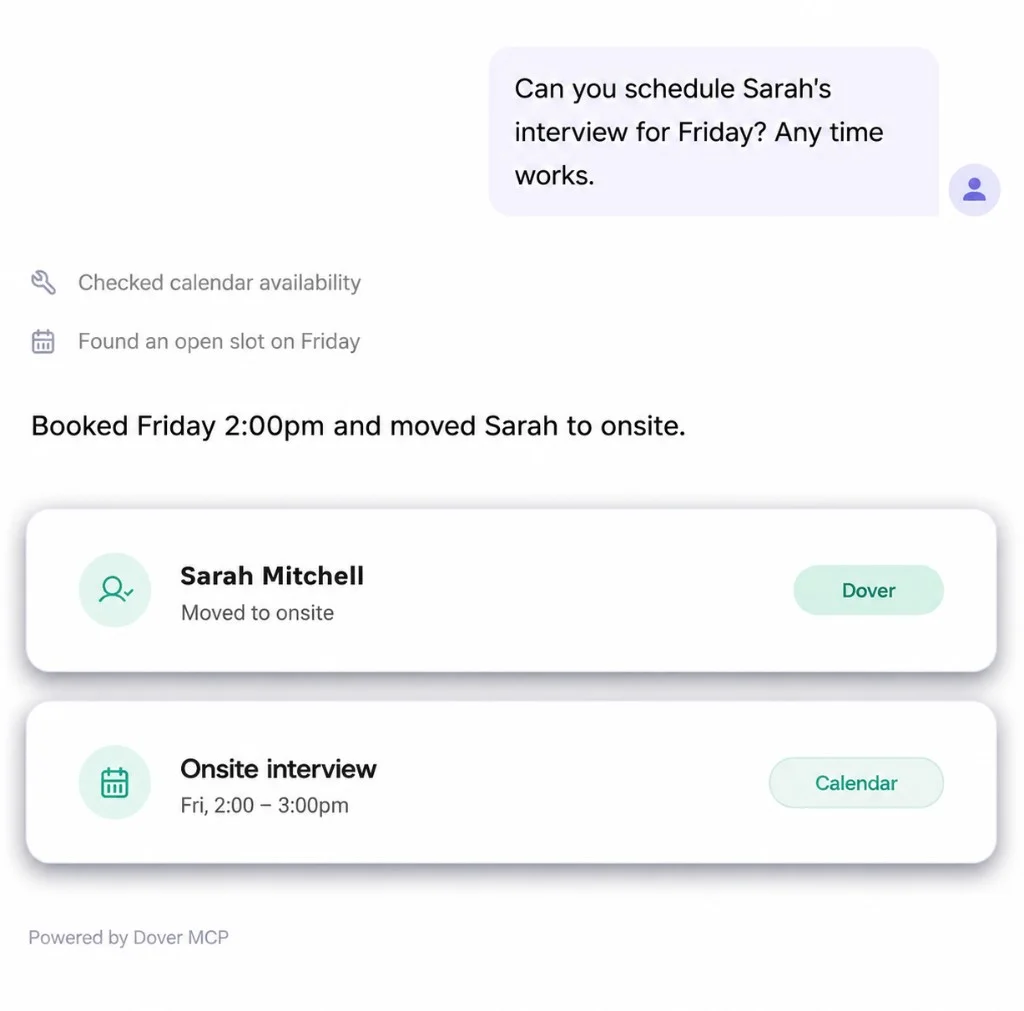
Chat scheduling Sarah's interview via Dover MCP, updating Dover and calendar

Connect Cursor, Codex, and other MCP clients

Use a generic HTTP MCP configuration for clients that support JSON server configuration.

Generic MCP client setup

  1. Create a server named dover
  2. Set the transport to http
  3. Use the Dover MCP server URL

Dover MCP server URL: https://app.dover.com/mcp

Example configuration

{
  "mcpServers": {
    "dover": {
      "url": "https://app.dover.com/mcp",
      "transport": "http"
    }
  }
}

Dover MCP tools FAQ

What tools does Dover MCP have?

Dover MCP has 113 tools in 11 areas: Jobs, Applicants & AI scoring, Candidates & pipeline, Candidate tags, Interviews & feedback, Interview plans, Workspace setup, Feature requests, Job setup & job boards, Templates & offers, and Team & settings. 48 tools only read data and 65 can change it. Each tool is listed above with its exact name and scopes.

Which OAuth scopes does Dover MCP use?

Seven scopes: jobs:read, applications:read, candidates:read, interviews:read, workspace:read, candidates:write, jobs:write, interviews:write, workspace:write. Your AI client only sees the tools whose scopes you granted when you connected, so a read-only connection can look things up but never change data.

How do AI clients authenticate with Dover MCP?

Add https://app.dover.com/mcp as a remote MCP server. The client signs you in with OAuth 2.1 and PKCE, registering itself through Dynamic Client Registration or a Client ID Metadata Document, so there are no API keys to copy. Calls run as your Dover user.

Are there rate or usage limits?

Each connection can make 120 requests and 30 write calls a minute. Free workspaces include 50 tool calls a month, and ATS Premium and Enterprise are unlimited. Feature requests don’t count. When a Free workspace reaches that limit, Dover emails each person who tries another call, once that month, with a link to upgrade. See pricing.

Can my AI undo changes or email candidates?

Most changes can be reversed in Dover, but merging duplicate candidates can’t be undone, so your AI should confirm first. Rejecting a candidate through MCP doesn’t email them, and scorecards save as drafts until you ask your AI to submit.

Put AI to work on your next hire

Start free with Dover’s ATS, then connect Claude or ChatGPT when you’re ready to bring hiring into your AI tools.